PROGRAM 01 / BOARD DESIGNER
Board Designer

Create and display your pixel art
Open Board DesignerNot available for this hardware
GlowGrid Workspace
Explore the collection, build a project, and turn your ideas into hardware experiences.
Create and display your pixel art

Choose a duration and a visual shape. Every pixel becomes a fair share of the time, switching off one by one until nothing remains.

The board discovers its own Wi-Fi address when it starts and scrolls it across the selected display. If the board is offline, it shows “NO IP”.

Select an example, personalize it with the guided choices, and upload your version to the board for feedback.
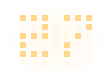
A clear two-team scoreboard built for the full 16×7 display. Press X for the left team, Y for the right team, or hold X+Y to reset both scores.

A joint collaboration between a notification server and a hardware board.

Check your display colors, pixels, and A/B/X/Y buttons with a simple hardware test.

Choose a challenge project and load its code and libraries onto your board.